1.23.0Latest
Show what is left instead of what is used, a Dock style, oMLX, and Claude and Codex on your own servers.
- Mac
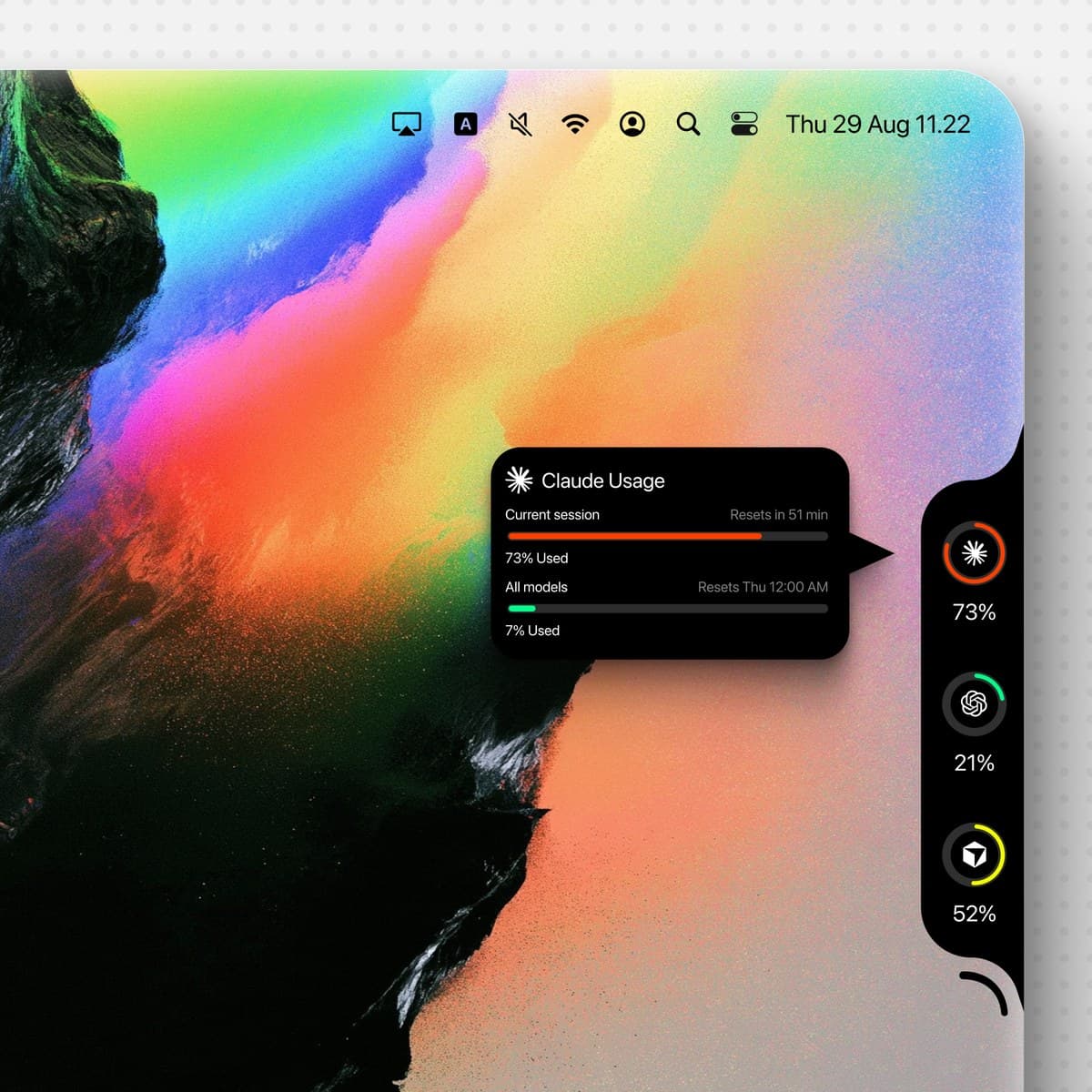
- Show remaining instead of used: rings and figures count down what is left. Rings can shut when a window is spent and order themselves by what remains (#372).
- Remote hosts and Muse: Claude and Codex accounts on servers you reach over SSH, and Muse (#372).
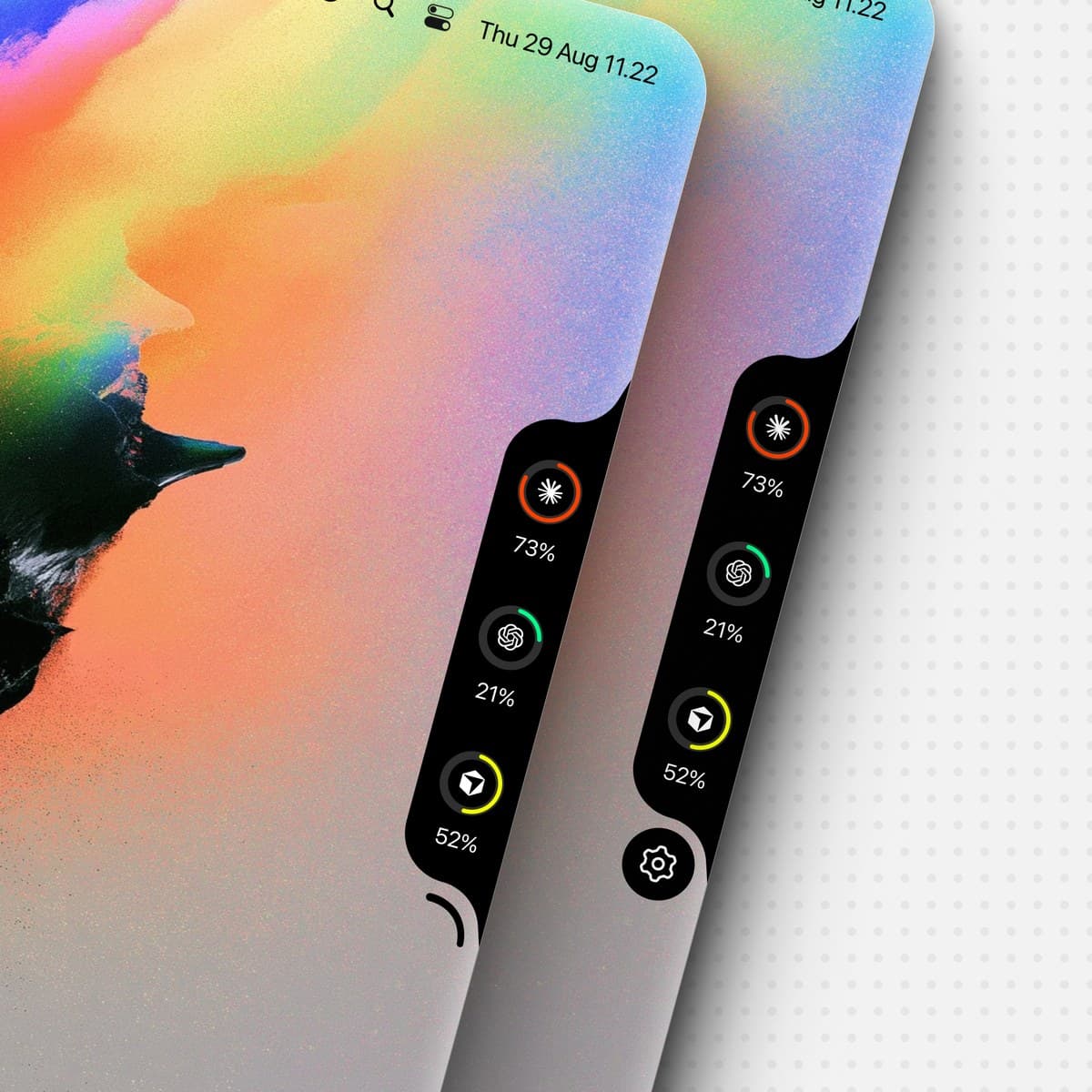
- A Dock style: the notch floats just clear of the screen's edge (#430).
- oMLX: loaded models, phase and queue, speed, context fill and a daily token count (#435).
- Breathing working indicator, optional, in the provider's colour (#438).
- Enterprise spend forecast: whether the monthly limit lasts until it resets (#453).
- OpenCode activity on Custom Endpoints (#407), Grok Bot's weekly usage (#448), DeepSeek off-peak all day on Chinese public holidays (#419).
- Gentler Claude retries when rate limited (#446).
- Fixes: notches come back on external displays after sleep (#431), Claude sessions nobody has open are left out (#439), legacy Perplexity entries pruned (#433), less redrawing with the notch always shown (#456) and on pointer moves (#442).
- Windows
- The notch folds over full-screen apps and stays on the screen's edge (#403).
- The spend limit an Enterprise seat reports (#437).
- agy's numeric time zones (#432), the Z.AI key from
GLM_API_KEY (#445), configs saved with a byte-order mark (#384), and no stale Claude arcs after a failed sign-in (#395).
1.22.0
Qoder's credits, more than one Command Code account, and DeepSeek's balance from the wallet that has one.
- Qoder. A ring for your Qoder credits, international or China mainland, signed in once inside Codenotch — nothing is copied from your browser. (#423)
- More than one Command Code account. Each
~/.commandcode-name folder signed in with Command Code is its own ring, the way Claude and Codex profiles already are. (#427) - DeepSeek's balance from the funded wallet, not the first currency listed. (#418)
- Українська, up to date on both platforms. (#422)
- Windows: a reset card for any provider's renewed quota window (#394), the hover card stays above a flat-edge pill under page zoom (#421), and agy 1.2.16's local reset times are read (#428).
1.21.0
Custom endpoints speak Anthropic and Gemini, llama.cpp shows its speed, and Antigravity reads without the IDE open.
- Anthropic and Gemini custom endpoints. A custom endpoint can now be an Anthropic or a Gemini API as well as an OpenAI-compatible one, with its models found for you. (#412)
- llama.cpp, with its own mark and its speed. The official icon (#405), and its generation speed and how many requests are running and waiting (#406).
- Antigravity without the IDE running. With the IDE closed, Codenotch starts Antigravity's own language server to read your quota. (#409)
- OpenCode, whichever version. Usage and activity are read from both the 1.x and the 2.x database. (#411)
- Endpoints over Tailscale. A plain http endpoint at a 100.64.x.x address is now reachable. (#404)
- 简体中文 and 繁體中文, filled in. (#408)
- Windows: carry the notch by six dots beside the settings button (#390), and the Grok token is renewed before it lapses (#416).
1.20.0
See what each project spent of your allowance, and figures that keep up while you work.
- Cost per project. A new Costs section reads the transcripts Claude Code and Codex already keep, and shows what each project spent of each login's allowance — by day, week and month, priced from your plan. (#328)
- Figures that keep up. While a session is working, the percentage is read fresh rather than from a cache up to half an hour old, and the countdown follows the clock to the second. (#389)
- A menu bar item as wide as what it says. (#387)
- Abacus.AI credits for custom endpoints. (#373)
- OpenCode and Grok stay signed in: OpenCode's sign-in is read from
opencode.db (#398), and an expired Grok session is renewed in memory (#393). - Polished Português do Brasil. (#377)
- Windows: carry the notch round the screen's border (#388), Watch and Critical limit sliders (#375), the dashed weekly ring (#374), a GitHub Copilot ring (#392), secondary Claude accounts in the session watcher (#401), and update checks before signing is configured (#391). The Windows port also runs on Linux (#294).
1.19.0
Carry the notch anywhere round your screen by its six dots — and new versions now ask first, right in the notch.
- Six dots to carry the notch. Hover the settings button and six dots come out beside it. Hold them and drag: the notch follows along any edge of the screen and round its corners, and lands where you let go. They replace the separate move handle and its setting.
- Round the corners like liquid. Dragged by the dots or with ⌥, the notch keeps to the screen's border and flows round each corner, and settles smoothly where it is let go.
- Updates ask first, in the notch. A new version is offered with Update and Later, and installs there with its progress. Put off, a red dot on the settings button and on General keeps it in reach.
- A notch that pours. The settings arc and the dots come out of the notch and go back into it like goo, and the settings button turns back into its arc.
- The percentage beside your Mac's notch. With one ring and its percentage on, the figure sits on the other side of the camera housing.
- Switching a provider on no longer hangs the app.
1.18.0
- On a MacBook the notch is now your Mac's own. The readings sat below the camera housing, so the app read as a second notch under the real one. They sit either side of it now, in a bar drawn to the hardware's measurements rather than to numbers picked to look right: its depth, and a corner fitted off a render of the real cutout. Folded away the shape is the cutout exactly, and reaching for it widens the notch the Mac already has.
- A fold that flows. Opening and closing morphs the shape itself rather than swapping one for another, on a spring with enough weight to settle instead of snapping. The curve into the screen's border grows with the ears as they extend.
- The percentage under each ring is now yours to choose. Appearance has a switch for it. Beside the Mac's own notch the bar is exactly as deep as the cutout and a ring fills it, so showing the figure there makes room by drawing the rings smaller.
- A click that misses the rings no longer locks the notch open. It used to pin it, with nothing on screen to say so or to undo it. Keep open is on the right-click menu, where it is named and carries a checkmark.
- The weekly limit can be the main ring, for anyone who budgets by the week rather than by the session.
- Claude's unused resets, and a steadier Desktop reading. Resets you did not spend are shown rather than dropped, dated grants survive a refresh, and the search through Desktop's cache is bounded.
- Türkçe and Bahasa Indonesia, both complete.
- An opt-in colour ramp across the whole range, instead of stepping at the thresholds.
- Qianwen's monthly Token Plan, and two MiniMax numbers that were not numbers — an overflowing count and a non-finite one are now treated as no reading rather than as a zero.
1.17.0
Your own endpoints, 한국어 and Oʻzbekcha, and a notch that knows whose account it is.
Mac
- Your own endpoints. Add any OpenAI-compatible endpoint and give it a ring: a name, an icon, a colour, a monthly budget in dollars or tokens, and a live check that says whether it is actually answering. The key goes to the keychain. A scan finds the usual local ports, so a model running on this Mac does not have to be typed in. Thanks @mulhamna.
- Amp — a ring for the Amp CLI, read from the sign-in it already has. Thanks @sol1560.
- Rings that know whose account they are. A Claude ring is named after the account behind it rather than the folder it was found in, a session the desktop app hosts is drawn against the account that owns it, and every Codex conversation is named and counted separately. Thanks @Splinter0000. You can rename any account and the new name is used everywhere at once — thanks @rafaelbarea.
- Quieter. Opening Codenotch no longer announces a limit reached long before: a reading kept from last time is no longer mistaken for something that just happened (@rafaelbarea). Clicking the notch to hold it open now lasts the session rather than for good, so the full-screen fold is never disabled behind your back (@DinanathDash).
- The menu bar shows more — weekly usage beside the five-hour window, and its own switch reachable from the menu bar itself. Thanks @ozgurasan-agent.
- A measured zero Kimi quota is kept rather than hidden, which is the reading that matters most on an exhausted account. Thanks @berkinefeavci.
Languages
- 한국어 — now the most completely translated language in the app, on the Mac and on Windows. Thanks @progh2, and to @sylph2nd whose parallel translation informed the review.
- Oʻzbekcha — Uzbek, in Latin script. Thanks @SunnatilloDev.
- Português (Brasil) joins the Windows port. Thanks @dinicleyaguiar, and @abrahaofv for the wording alignment and for filling the gaps in Ukrainian and Korean.
- The release notes themselves were the last thing missing from several languages, and are in the catalogue now.
Windows
- A lighter notch. A Theme row — System, Light or Dark — that the notch, the settings window and the drag overlay all follow, set before the window is built so there is no dark frame on launch. Thanks @RawJat.
- Sign-in is offered only when you are actually signed out, the flat notch has room for its card, and the move handle stays on screen while you drag it. Thanks @RawJat and @RrezonCurraj.
- Codex quota selection and native-client recovery. Thanks @rustamnova.
1.16.0
Windows updates itself, five-hour limits in the menu bar, and a notch you can fold away.
Mac
- Five-hour limits in the menu bar — off until you ask for it. Choose which accounts to show and the menu bar carries their session share and countdown, beside the notch rather than instead of it. Thanks @ozgurasan-agent.
- Every Antigravity account — more than one profile now reads, each with its own ring and its own answer to a keychain prompt. Thanks @divingsbysangam. Closes #186.
- Clearer glass — tooltip copy keeps its footing on Liquid Glass in dark mode, where a pale desktop behind it used to wash the secondary lines out. Thanks @liuzel01.
- 日本語 — the release notes now read in Japanese. Thanks @urib0.
Windows
- It keeps itself up to date. Codenotch looks for a new version shortly after it starts and can install one for you, checking the download's signature before anything runs. Until now a Windows install stayed on the build it came from, because nothing ever mentioned a newer one existed.
- A notch that moves — carry it between monitors by its handle, slide it along an edge with Alt held down, and fold it to a pill when it is not in use, the way Show on hover works on the Mac. Thanks @RawJat.
- Z.AI Coding Plan — a ring for it, reading the same credential sources the Mac does. Thanks @stanthewizzard.
- Every Claude account, not just
~/.claude. Thanks @lucaedulima. - Claude sign-in from the card — the CLI's own browser login, so no token or code ever enters Codenotch. Thanks @rustamnova.
- Codex quota — the ring takes the core quota and can recover a reading through an installed native client. Thanks @rustamnova.
- Русский for the notch placement settings. Thanks @unchase.
1.15.0
QianwenAI reads again, fewer false alerts, and a steadier Windows notch.
- QianwenAI reads again (#263): the ring no longer answers "HTTP 0" on every refresh, and says plainly when QianwenAI refuses a request — without passing the server's own text into the ring or the log.
- Only real resets (#264): a countdown that drifts by a few seconds no longer announces a reset, while a real one still does, including a new window that comes back without a date.
- Grok, even headless (#270): Grok shows as working during
grok -p runs, not only in its own window. The check runs off the main thread. - The Windows notch stays clear of the taskbar (#268, #271): it sits inside the work area and finds its edge again when the taskbar moves, and its rings dim when a reading is old, with rounded ends, as on the Mac.
- Smaller fixes: checking for updates can no longer hang on "Checking…"; a small context reading still draws an arc (#260); Claude's account file is only read again when it changes (#254); the Traditional Chinese uses Taiwan's own words (#253).
- The Windows installer is attached by the packaging workflow a few minutes after this release goes up (unsigned: More info → Run anyway).
- Thanks to @LordCasser, @liuzel01, @ogabrielalonso, @RawJat, @indh-x, @steven-aim and @DrSmoothl.
1.14.0
A new Settings, QianwenAI, Traditional Chinese, and a Windows notch you can carry to any edge.
- A new Settings: dark and quiet, with a title over every pane, the providers' own logos, and DeepSeek, Ollama and LM Studio folded under Accounts. Rows, buttons and the selection all answer the pointer, panes cross-fade through a soft blur, text fields let go when you click away and no longer grab focus on open, and an Update button appears beside the version when a new release is out.
- QianwenAI: a ring for QianwenAI's Token Plan, signed into from Codenotch (#248).
- 繁體中文, and every language complete: Traditional Chinese on the Mac and Windows, picked up automatically in Taiwan and Hong Kong (#250); Simplified Chinese (#249) and Ukrainian (#242) now cover every string.
- The Windows notch, carried anywhere: drag it by its handle to any edge (#246), open Settings from its orb (#245), click a ring to read it again or right-click for more (#244), and the hover card stays clear of the taskbar (#241). Grok now refreshes from the tray (#240).
- Fresh logos: MiniMax, QianwenAI, Z.ai, Kimi, OpenCode and Command Code show their own marks.
- The Windows installer is attached by the packaging workflow a few minutes after this release goes up (unsigned: More info → Run anyway).
- Thanks to @DrSmoothl, @LordCasser, @PavloSeniv, @RawJat, @unchase, @vxkShelby, @1boooook2-maker and @indh-x.
1.13.1
Fixes a crash on Chinese Macs, and a Deny on the keychain question now means no.
- No more crash in Simplified Chinese (#237): with the app in 简体中文, a provider past 80% crashed Codenotch a few seconds after launch. The translation took its values in the wrong order. It's fixed, and every translation in every language is now checked for this.
- Deny means no (#98, #72): answering Deny when macOS asks about a saved login now stops Codenotch reading that account from any source (keychain, the
claude CLI, Claude Desktop's cache) until you choose Allow access… again. Settings no longer tells you to pick "Always Allow". - Fewer file access prompts (#227): renewing Claude's login no longer starts your MCP servers and hooks, and Kimi sessions are matched without looking inside your folders, so macOS stops asking about Documents, Desktop or network volumes on Codenotch's behalf.
- Smaller fixes: Kiro reads usage from kiro-cli 2.21 (#220); GLM Start Plan says why it has no usage (#71); a Claude account whose answer lists no limits says so instead of waiting forever (#178); the Windows event server accepts only POST, caps what it stores, and clears a stuck waiting card after a day (#165).
- The Windows installer is attached by the packaging workflow a few minutes after this release goes up (unsigned: More info → Run anyway).
- Thanks to @duanquzhi, @Arad-Afzali, @lshalamb, @MouamleH, @howard-nguyen-covergo, @MilanVives, @Stahlwalker and @yehia2030 for the precise reports.
1.13.0
Much lighter on your battery, Grok and screen edges on Windows, and a Windows Settings window that opens again.
- Lighter on the battery: Codenotch idles at a fraction of the CPU it used (about 7% of a core down to under 2% in our measurements), and moving the pointer costs less than half as much. The working spinner is drawn by the system instead of redrawing the notch every frame, and full-screen apps are checked every two seconds rather than on every movement.
- Windows Settings opens again: in 1.12.0 the Settings window on Windows opened empty. It's fixed, and CI now checks the Windows pages so that kind of mistake can't ship again.
- Grok, any screen edge, and readings in the tray on Windows: Grok joins the Windows notch, the notch can sit on any edge of any monitor, and the tray menu shows each provider's readings.
- Ghostty tabs: clicking a session running in Ghostty selects its tab rather than only bringing Ghostty forward.
- Smaller fixes: Codex sessions are read from the end of the file instead of all of it; the Codex card hides an empty reset-credits section; a Claude token on Windows that fails to renew is retried instead of freezing the card; Grok's trusted-issuer check is exact on both platforms.
- The Windows installer is attached by the packaging workflow a few minutes after this release goes up. It is not code-signed yet, so SmartScreen asks once: More info → Run anyway.
- Thanks to @unchase, @rafaelbarea, @wxy000, @Petagorus, @1boooook2-maker, @RawJat and @divingsbysangam.
1.12.0
An installer for Windows, Ukrainian, Dark glass, and limits you set yourself.
- Codenotch for Windows, installable: every release now carries
Codenotch-Setup.exe, installing for the current user without administrator rights. It is not code-signed yet, so SmartScreen asks once — choose More info, then Run anyway. The port also gains the Mac's settings window, Small/Medium/Large sizes, a ring for the weekly limit, the Mac's arc colours, and Chinese, Japanese, Korean and Ukrainian. - Українська: a seventh language, on the Mac and on Windows.
- Dark glass: a third surface for the notch, dark whatever the Mac's appearance is set to.
- Your own watch and critical limits: the points where a ring turns amber and red are yours to move, and the weekly ring can be dashed.
- Quieter in the background: a provider you have switched off is no longer watched at all, and the notch no longer folds on hover when folding for full-screen apps is off.
- Windows keeps its Claude reading: an expired token is renewed rather than read as a rate limit, the notch no longer takes focus, and it holds still when Windows animation effects are off.
- Japanese, complete: every string now has a Japanese translation, plus fifty-five strings newer features never got.
- The Windows installer is attached by the packaging workflow a few minutes after this release goes up.
- Thanks to @PavloSeniv, @KzziN, @RawJat, @indh-x, @urib0, @caniswim, @jacobmorse, @DinanathDash, @Im-Midi, @unchase, @stephenluc and @mulhamna.
1.11.0
Kiro and MiniMax, German, a daily pace ring for Claude, and a switch for folding over full-screen apps.
- Kiro and MiniMax: Kiro reads the kiro-cli sign-in already on this Mac. MiniMax signs in from Codenotch, with a choice of international or China region.
- Deutsch: German joins the app's languages, and limit and reset notifications are now in Simplified Chinese too.
- A daily pace ring for Claude: optionally, Claude's main ring shows today's share of the weekly limit.
- Codex's extra limits: the hover card lists Spark and code review when your account has them.
- Fold for full-screen apps: the automatic fold can now be switched off.
- DeepSeek pricing windows: peak and off-peak hours are fully configurable, with more reliable sign-in.
- Alerts on time: usage refreshes the moment a limit window rolls over.
- Smaller fixes: new providers stay off until switched on, clearer recenter feedback, no hover while Option-dragging, the Codex completion sound keeps its setting, and Windows rings and hover card match the Mac's.
- Thanks to @DrSmoothl, @wxy000, @donkaban, @stephenluc, @mohammad-albarham and everyone who contributed.
1.10.0
Tells you when a limit resets or runs out, speaks Russian, and reads Kimi.
- A card when a limit resets, and when one runs out — the notch slides out a card the moment a provider's limit rolls over, and again when a session or weekly limit hits 100%. Notifications in Settings chooses which, with an optional chime. Thanks @mulhamna.
- Kimi — weekly and 5-hour limits, its running sessions, and clicking one raises the exact terminal tab it is in rather than just the app. Thanks @8nevil8.
- Русский — a fifth language, on the Mac and on Windows. Thanks @unchase.
- Quit from Settings — for when the menu bar icon is switched off. Thanks @RrezonCurraj.
- More of Settings in Simplified Chinese. Thanks @DrSmoothl.
Security
- A web page can no longer reach Codenotch's local servers. The Ollama relay and the Windows event server refuse cross-origin browser requests, and raw provider responses are kept out of the system log. Thanks @fourcolors.
- DeepSeek's page address is now checked exactly. The old check used a substring, so a lookalike domain such as
platform.deepseek.com.attacker.example would have passed. Thanks @yehia2030. - Windows diagnostics print the shape of a value, never the value — so no token or conversation content can land in a report. Thanks @yehia2030.
Windows
- The port is built, tested and linted on every change (thanks @RawJat), its README is current, and clippy's suggestions are in.
Fixes
- The move handle lines up with the camera housing. Thanks @RrezonCurraj.
- Kimi's terminal focus escapes every value it puts into AppleScript, not just one.
1.9.0
LM Studio, DeepSeek and Devin, Japanese and Portuguese, and no more keychain password on a timer.
- LM Studio — loaded models, whether each is thinking or queued, generation speed, context fill, and a daily token ledger, read from LM Studio on this Mac. Thanks @indh-x.
- DeepSeek — platform balance and spend, with a card of daily usage. Thanks @wxy000.
- Devin usage. Thanks @oleanders.
- 日本語 and Português (Brasil) — thanks @urib0 and @Victorbarbosads. The language picker is now a menu so every language fits. Thanks @DinanathDash.
- The keychain password stops coming back. Claude Code and Antigravity recreate their saved logins in a way an Always Allow cannot outlast, so the dialogue kept returning. Background refreshes no longer show it; Allow access… in Settings is the one place it can appear. Thanks @and-human24.
- Carry the notch to another edge — hold the arc above the notch and drop it on any edge. Appearance can hide the arc. Thanks @Victorbarbosads.
- More on the hover card — the account's plan under the title, and unused Codex rate-limit resets. Thanks @DrSmoothl.
- A login Claude Code empties keeps its reading — after Claude Code updates itself it can clear every profile's login at once; the last numbers now stay, dimmed. Thanks @and-human24.
- Antigravity reads the same numbers from every source. In automatic mode, an exhausted limit only leads when every limit is exhausted. Thanks @mulhamna.
- Gemini API counts OpenCode and Hermes turns. Thanks @indh-x.
- Simplified Chinese for 1.8's new copy. Thanks @DrSmoothl.
Fixes
- Recentre moves the notch at once. Thanks @DinanathDash.
- Full-screen auto-fold accounts for the camera housing. Thanks @divingsbysangam.
- A rate-limit wait no longer costs a whole extra refresh. Thanks @and-human24.
- Windows: usage in the taskbar icon and a settings window (thanks @AhmedSMSobhy), and Antigravity read through its official CLI from every install folder (thanks @Sargares22 and @RawJat).
1.8.0
A second ring for the week, Liquid Glass, French, and Claude Desktop read straight from its own cache.
- The week gets a ring of its own — a second arc, inside the headline ring or outside it, for providers that publish a weekly limit as well as a session one. Off by default; Appearance has the switch. Thanks @mulhamna.
- Liquid Glass — the open notch, its tooltip and the settings orb take the system's own glass surface. Reduce Transparency turns it solid. Thanks @indh-x.
- Français — a third language alongside English and 简体中文. Thanks @lbrandon69.
- Claude Desktop usage, read from its own cache — a third way to read a Claude account, used when the CLI and the token cannot answer. Nothing leaves the Mac. Thanks @cabaflow.
- Claude Code found where npm puts it — nvm, Volta and pnpm installs are discovered like any other, which also restores background sign-in renewal there. Thanks @peechycreation.
- No more transcript folders left behind — reading usage ran in a fresh directory every poll and Claude Code filed a transcript for each. It now runs from one place, in print mode, writing no session. Thanks @ikalimeris.
- Reset times follow the Mac's clock — a 24-hour Mac gets 24-hour reset times. Thanks @Nexeldev01.
- A finished session says so — agent sessions carry a success state. Thanks @DinanathDash.
- Antigravity: choose which limit leads, and a CLI-only install counts as a real account.
- Only the hardware notch wakes a notch joined to it. Thanks @Nexeldev01.
- Windows port: clicks pass through the notch's transparent area. Thanks @RawJat.
Fixes
- Test runs no longer put notch panels on the developer's screen.
- Launching a second copy now retires the one already running.
- CI no longer runs on forks. Thanks @DinanathDash.
1.7.0
Speaks Chinese, watches local models think, and stays welded to the edge.
- 简体中文 — a Language picker in Appearance: follow the Mac, or hold the app to English or Simplified Chinese whatever the Mac is set to. Thanks @Nagi-ovo.
- Ollama models show thinking and generation speed — each loaded model gets its own cell, with the tokens per second of its last response and a mark while it is thinking. Measured locally; nothing about a prompt leaves the machine.
- Claude Code sessions started from the desktop app are counted — and the sign-in renews itself in the background, so a ring stops ageing out after a week of use.
- The notch is welded to the screen edge — no hairline of wallpaper behind it at any size, and it stays anchored while the size slider is dragged.
- Set the size by slider as well as by preset.
- The notch folds away for a full-screen app.
- The settings gear is a toggle — it turns and presses in as it is clicked, and a second click closes Settings.
- Cursor stops showing work that finished months ago — finished background agents were leaving the ring amber indefinitely.
- Antigravity reads a CLI-only install.
- A ready-made download, no Xcode needed — every build now produces a runnable app bundle.
1.6.0
Ring order, display placement, threshold alerts and session announcements — plus a GitHub Copilot ring, a Gemini API ring, and a Windows port.
- Drag to reorder the rings. Settings splits into Connected and Not connected; drag a connected row by its handle to set the order the notch draws.
- Pin the notch to one display, or show it on every one. A Displays picker offers the main display or all of them; a second picker pins a single notch to a named screen.
- A ring says when it crosses 80% and 100%. A system notification once per crossing, muted per provider from its own row.
- GitHub Copilot is a new ring, read from GitHub's Copilot quota endpoint using the
gh session already on the Mac. - A Gemini API ring, reading the key the tools already hold, with a monthly token budget you set.
- Say when a session ends. The notch opens for a few seconds and chimes when an agent stops working or starts waiting on you; a click jumps to it.
- ⌥-drag the pill along its edge, remembered per edge.
- Choose an accent colour — the device accent, or one of ten fixed colours.
- A countdown instead of a reset date, in Appearance → Reset time.
- Read Cursor from `cursor-agent`, and read enterprise/team plans correctly.
- Fewer keychain prompts — Claude asks its own CLI's
/usage first. - A Windows port (Rust/Tauri 2) lives in
windows/. - Settings is rebuilt as a floating Liquid Glass panel with a sidebar card, matching System Settings on this OS.
1.5.0
Fixed
- Switching a provider off could still have its account read when Settings opened, and a response already in flight could restore a reading you'd just asked it to forget. (#13, thanks @canberkys)
- Codex's live reading only recognised a 5-hour and a 7-day window. A free-plan account's real limit was a 30-day one, which silently fell through and reported "nothing metered" on an account that was genuinely tracked — caught by testing the fix against a real account. (#14, thanks @TrapstarKS)
- Contributors can now
make build/make test with no Apple Developer account — Debug builds sign themselves automatically when the maintainer's certificate isn't present. (based on #8, thanks @MintarasGrinius) - (Shipped earlier as 1.4.1, now synced to this repo) A Mac waking from a long sleep could erase a ring's remembered reading entirely.
1.4.0
New
- Multiple Claude Code accounts — a work login kept apart with
CLAUDE_CONFIG_DIR now gets its own ring, its own limits, and its own row in Settings, beside your personal one. (#2, thanks @mhmzdev) - GLM (Z.ai Coding Plan) support — reads live from Z.ai's monitor endpoint, with a key borrowed from whichever coding tool already holds one. (#3, thanks @mohammad-albarham)
Fixed
- Claude's ring could get permanently stuck needing a restart after one transient keychain failure — a Mac waking from sleep, most often. It now recovers on its own. (#6, thanks @oasis1992)
- Cursor sessions could report "still working" for a day or more after a crash or an abandoned run. Liveness now follows the timestamp Cursor actually keeps moving. (#4, thanks @ppuzio)
- A duplicate keychain item — Claude Code files a new one on every token rotation — could be read at random instead of the current one, showing "waiting for the first reading" forever on an account that was actually signed in fine. (#5, thanks @LinKxFr)
- A click on the still-folded notch could silently pin it open before anyone had seen it unfold. (#1, thanks @caseymcdougal)
- Thanks to everyone who starred, forked, and opened issues this week — this release is almost entirely community work.
Earlier releases
- 1.3.0
- 1.2.0
- 1.1.0
- 1.0.0

RawJat
indh-x
mulhamna
divingsbysangam
DrSmoothl
unchase
DinanathDash
RrezonCurraj
urib0
wxy000
mohammad-albarham
oasis1992
MintarasGrinius
TrapstarKS
Im-Midi
yehia2030
stephenluc
PavloSeniv
1boooook2-maker
rafaelbarea
LordCasser
liuzel01
ozgurasan-agent
rustamnova
caseymcdougal
LinKxFr
mhmzdev
ppuzio
canberkys
maheshauti96
pgm-norbert
aarushbhadragiri
ashiq54689
at10249
florianalber
HeeSJung
Minitour
philharmonie
Slayther13
tarunlnmiit
tscuite
virajshoor
Const-Iv
Nagi-ovo
SimonAB
cabaflow
ikalimeris
lbrandon69
Nexeldev01
peechycreation
AhmedSMSobhy
and-human24
oleanders
Sargares22
Victorbarbosads
8nevil8
fourcolors
donkaban
caniswim
jacobmorse
KzziN
Petagorus
Arad-Afzali
duanquzhi
howard-nguyen-covergo
lshalamb
MilanVives
MouamleH
Stahlwalker
vxkShelby
ogabrielalonso
steven-aim
lucaedulima
stanthewizzard
abrahaofv
berkinefeavci
dinicleyaguiar
progh2
sol1560
Splinter0000
SunnatilloDev
sylph2nd